Shop Floor Production Dashboard
Production Tracking Software for Daily Shop-Floor Decisions
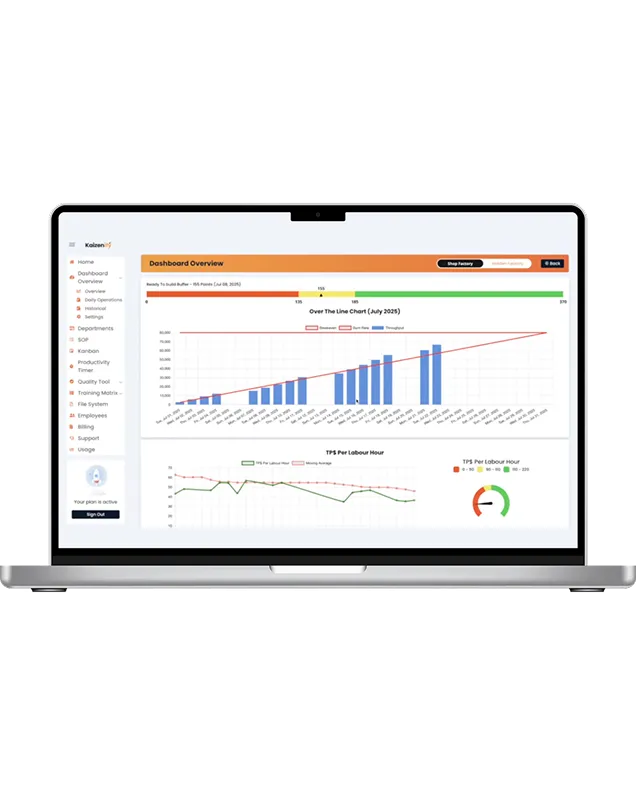
See Today's Output Against the Target
A busy shop is not always a productive shop. Give your team a clear daily view of completed output and the interruptions that need attention.
Tutorial
See the Shop Floor Dashboard in Action
How to use the Kaizenify shop floor dashboard to track daily throughput targets vs. actual and the key metrics that run your business.
How It Works:
- 1
Record throughput, people, pieces and hours for the shift
- 2
Review the dashboard's production metrics
- 3
Compare output with the target on a consistent basis
- 4
Use the bonus calculator as part of your own team incentive process
What this helps you do
Use the daily production view to decide what to investigate and improve next.
Over the Line Chart
Throughput $/ Labour Hour
Minutes Per Piece
Number of Pieces
Works with: Productivity Timer, Quality & Defect Tracking
Compare output on a consistent basis
A daily target is useful only when the actual result uses the same unit and completion rule. A cabinet count may work for comparable products. Custom work may need a different measure, such as the job-points approach. Points are not actual profit and do not replace job costing or financial records.
Give the daily number an owner
Agree on who records the output and when the team reviews it. Pair the result with an explanation of recurring defects, waiting or missing material. The daily production report is a starting template for that conversation.
Put daily production tracking into practice
Choose a consistent output measure, then use the daily review to decide what needs attention.
From the blog
Learn more about Shop Floor Production Dashboard
All Dashboard & Metrics resourcesManufacturing KPIs for Small Shops: The 5 Numbers That Tell You If You Made Money
Most KPI lists have 30 metrics. A cabinet shop needs five. What to track daily, how to read the numbers, and how to start on a whiteboard this week.
Lynn · August 17, 2026 · 7 min read
Read articleCommon Questions
Common questions about Shop Floor Production Dashboard
See Everything. Fix What Matters.
Six simple tools that give you complete visibility and control.
Standard plans: 60-day trial. Professional + Setup / Done For You: 15-day trial.
Don't have time to set it up? See our done-for-you program →Explore the other tools
All six toolsKanban
Give Replenishment a Clear Signal
View toolSOPs
Make the Agreed Method Easy to Find
View toolAndon/Timer
Are We Winning Today?
View toolTraining Matrix
What If Your Key Guy Quits Tomorrow?
View toolQuality Tracking
Fix What's Actually Costing You
View toolAI Video SOP
Your Team Already Knows How To Do It. Now Kaizenify Captures It For You.
View tool