What makes millwork difficult to manage day to day?
A reception desk, a run of wall panels and a custom vanity may travel through different steps. One job waits for approved details. Another waits for finish. A third is almost complete but lacks a small piece of hardware.
The floor can look busy while the work needed for the next delivery remains unfinished. Daily management starts with a shared definition of finished work and a clear record of what prevented it.
Keep the project schedule where it belongs. Add a routine that shows whether the shop is producing the intended output and which recurring interruption deserves attention.
What information should the floor share?
| Area | Daily question | Example from a millwork shop |
|---|---|---|
| Output | What work met the agreed completion rule? | A complete set of panels ready for the next stage |
| Quality | What needed repair or replacement? | A mismatched finish or incorrect hinge preparation |
| Downtime | What held up the constrained operation? | Waiting for material, information or available space |
| Replenishment | Which stocked item reached its reorder signal? | Common hinges, fasteners or standard edgebanding |
| Training | Which station depends on one person? | A finishing or assembly method with no trained backup |
Do not turn an incomplete job into completed output because most of its pieces are present. Equally, do not record the same finished work again at each station when reporting total shop output.
How does Kaizenify fit?
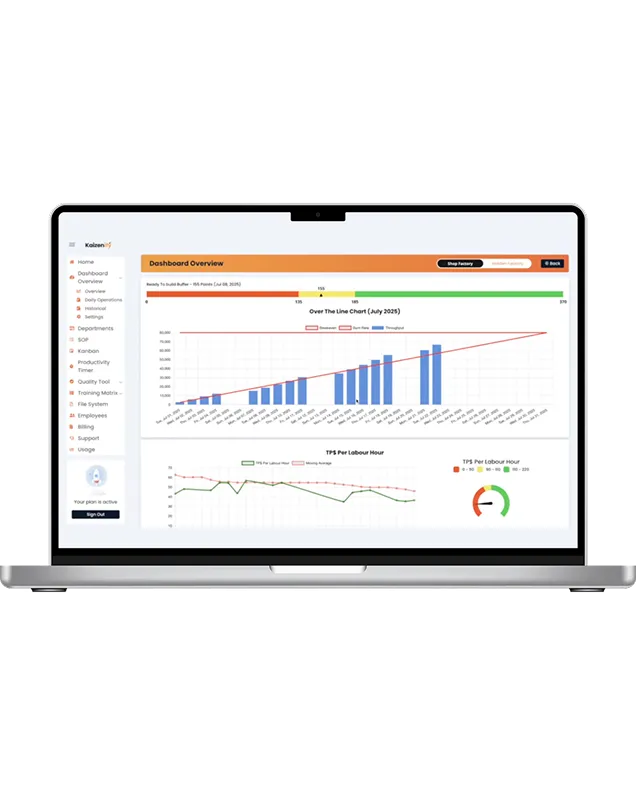
The Dashboard brings daily targets and actual output into a common view. Quality Tracking helps the team focus on recurring defects and downtime. The productivity timer supports observation of how the process runs.
SOPs and the Training Matrix help preserve an agreed method and identify where backup skills are missing. AI Video SOP can create an instruction draft from a recorded walkthrough; someone familiar with the work still needs to review it.
These are parts of a daily management suite. You can begin with output and quality rather than documenting the whole shop first.
How do you compare unlike jobs?
Choose a consistent measure and understand what it leaves out. Counting units may work for similar components. Mixed custom work may need a weighted measure.
The custom-work measurement guide explains a job-points approach based on job value less materials. It also explains why pricing differences and completion rules matter. Points do not replace labor estimates or accounting.
For a hypothetical reception desk and a batch of simple shelves, a raw piece count would reward whichever job contains more pieces. A consistent weighted method can make the comparison more useful, provided you use the same rules and review the underlying work.
How should you handle stock and job-specific materials?
Use visual replenishment for items you repeatedly consume and restock. A standard hinge or commonly used fastener is different from a special veneer ordered for one project.
Kanban provides cards, supplier details, QR reordering and shelf labels. It is not a perpetual inventory ledger or purchasing/accounts-payable system. Keep job-specific buying and commitments in the appropriate process.
The Kanban inventory guide explains where to start and how to keep the replenishment signal connected to actual use.
Does this replace a millwork ERP?
No. Kaizenify does not provide scheduling, job costing, accounting, purchasing/AP, CAD/CAM or work-order management. Keep those functions in the tools that handle them.
Using Kaizenify alongside another system does not imply automatic data exchange. Before adding any software, decide who enters each piece of information and remove unnecessary duplication. The software comparison explains the different roles.
What should a first rollout look like?
- Select one area where work repeatedly waits or comes back.
- Agree on a completed-output definition.
- Record the interruption or defect in consistent terms.
- Review the information in a short daily conversation.
- Assign one action and check whether the problem repeats.
Use the daily huddle guide for the review and the adoption guide for assigning ownership.
Common questions
Is Kaizenify millwork design software?
No. Keep your drawing and CAD/CAM tools. Kaizenify supports the daily management of the shop making the work.
Can we use it for low-volume custom production?
A consistent output measure and completion rule can support custom production. The setup should reflect how your shop defines usable completed work.
Does it track the cost of each job?
No. Job costing remains in your estimating, project or accounting process.
Do all the tools have to be introduced at once?
No. Begin with a recurring problem and the routine needed to understand it. Add other tools when the team is using the first routine consistently.