Digital SOP Software
SOP Software Your Floor Team Will Actually Use
Make the Agreed Method Easy to Find
When the method lives in one person's head, every absence creates questions. Give the team a clear instruction at the place where the work happens.
Tutorial
See Digital SOPs in Action
How to create digital standard operating procedures in Kaizenify with photos, video, and QR-linked instructions.
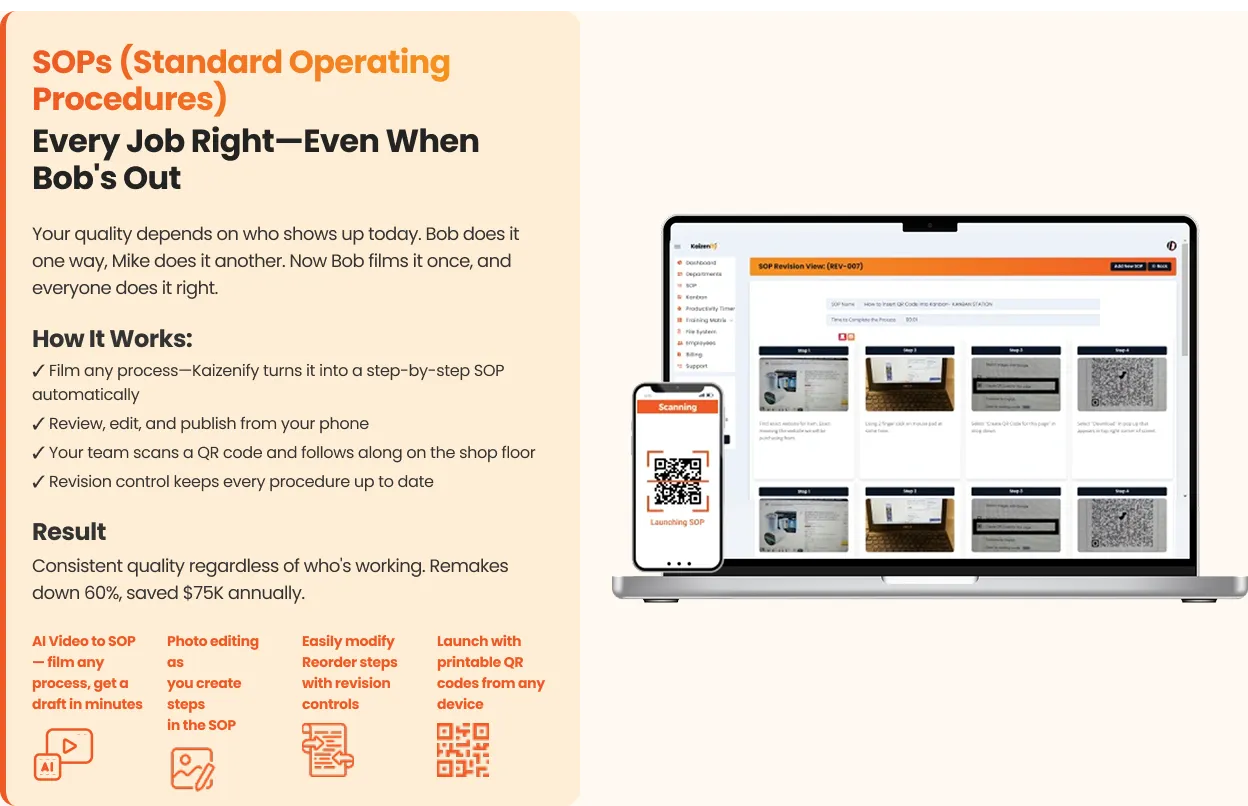
How It Works:
- 1
Record a walkthrough and use AI Video SOP to create a draft
- 2
Review and edit the instructions before publishing
- 3
Let the team open the procedure through a QR code
- 4
Use revision control to manage changes
What this helps you do
Keep a reviewed method accessible and use training to check that people can perform it.
AI Video to SOP: film any process, get a draft in minutes
Photo editing as you create steps in the SOP
Easily modify Reorder steps with revision controls
Launch with printable QR codes from any device
"We've struggled to do this for way too long. Kaizenify made it so much easier."
Works with: AI Video to SOP, Training Matrix Software
Digital work instructions at the workcell
A digital work instruction explains a specific task in a form the person doing it can access. Photos, short steps and a clear completion check help make the approved method easier to follow. Kaizenify's SOP tools support digital procedures with QR access, images and revision controls.
SOPs, work instructions and training serve different purposes
Documenting the method does not establish that everyone can perform it. Use the procedure as a reference, demonstrate the task, observe the person carrying it out, and keep the training record current. A read or a scan is not proof of competence.
One tool in a wider daily management suite
SOPs help standardize work. The dashboard helps the team review output, and Quality Tracking helps identify recurring problems worth addressing. AI Video SOP supports drafting an instruction from a walkthrough; review the result before publishing it.
From the blog
Learn more about Digital SOP Software
All SOPs & Training resourcesCommon Questions
Common questions about Digital SOP Software
See Everything. Fix What Matters.
Six simple tools that give you complete visibility and control.
Standard plans: 60-day trial. Professional + Setup / Done For You: 15-day trial.
Don't have time to set it up? See our done-for-you program →Explore the other tools
All six toolsDashboard
See Today's Output Against the Target
View toolKanban
Give Replenishment a Clear Signal
View toolAndon/Timer
Are We Winning Today?
View toolTraining Matrix
What If Your Key Guy Quits Tomorrow?
View toolQuality Tracking
Fix What's Actually Costing You
View toolAI Video SOP
Your Team Already Knows How To Do It. Now Kaizenify Captures It For You.
View tool