For Custom Cabinet & Millwork Shop Owners
Shop Floor Management Software for Cabinet Shops
Shop Floor Management Software That Shows You Where to Focus Today
You Can't Leave Your Shop For Even One Day
Kaizenify helps custom woodworking shops compare daily output with production targets, make recurring defects visible, and organize replenishment, instructions and training. Give your team a clearer starting point for the next improvement.
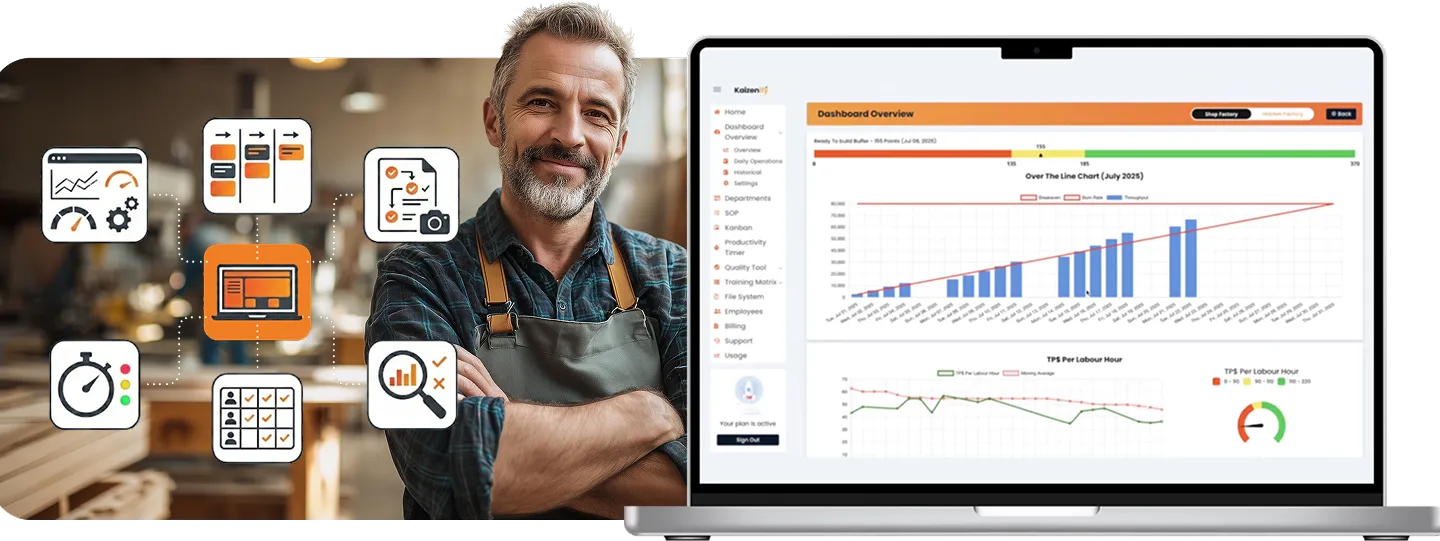

Your shop is disorganized, orders are late, and you don't know where to start.
You know the shop isn't running lean, but you can't see which problem to fix first. Kaizenify shows where production is falling behind, what defects are costing you, and where your team should focus today.

Profit Disappearing
Jobs remade. Materials wasted. Hours lost. Busy doesn't mean profitable.

Unclear Daily Output
The shop is busy, but you cannot tell how completed work compares with the target.
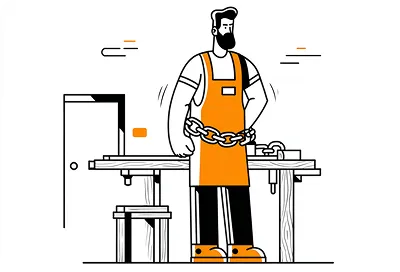
Can't Leave For a Day
"Out of edgebanding." "Bob's sick." "Drawing's wrong." Phone rings every hour.
Where the work gets stuck
Make the recurring interruptions visible so your team can decide what to improve next.
Rework
Time and material spent correcting the same problems
Waiting
Work stopped by missing parts or unclear handoffs
Interruptions
Questions that keep pulling you away from your own work
Guesswork
Decisions made without a clear view of daily output
You don't need to work harder.
You need to see what's happening.
Kaizenify:
See Everything.
Fix What Matters.
Six tools for daily production, quality, replenishment, instructions and training.
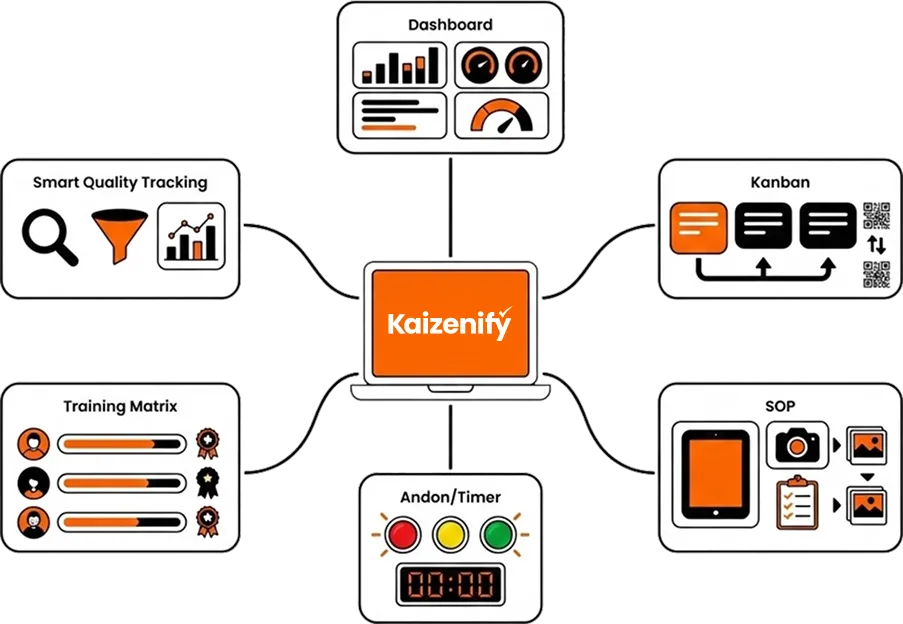
See Today's Output
Compare completed work with the daily target and decide what needs attention.
Make Replenishment Clear
Put the item, supplier and replenishment signal where your team can find them.
Share the Agreed Method
Keep instructions accessible and make training gaps visible.
Kaizenify:
Six tools
that work together
Each tool solves a specific problem you face every day.
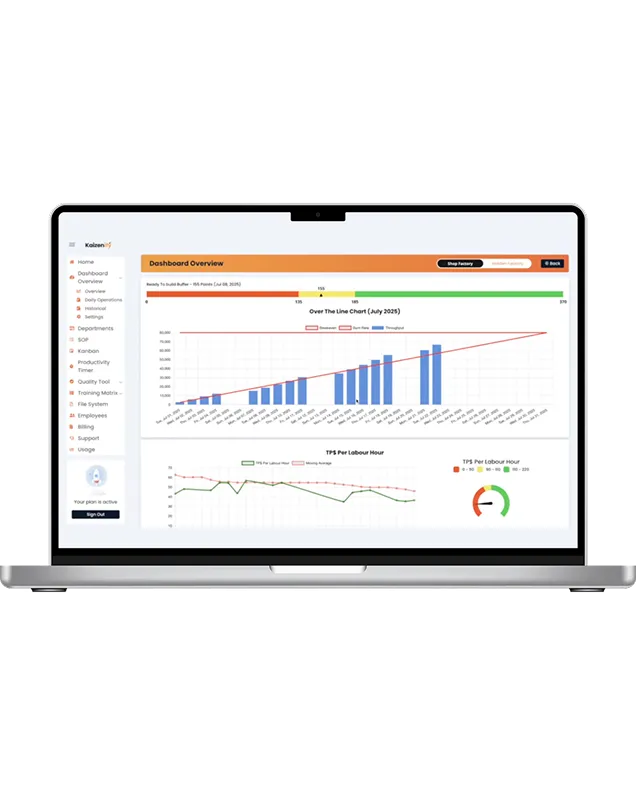
Shop Floor Production Dashboard
See Today's Output Against the Target
A busy shop is not always a productive shop. Give your team a clear daily view of completed output and the interruptions that need attention.
How It Works:
- ✓Record throughput, people, pieces and hours for the shift
- ✓Review the dashboard's production metrics
- ✓Compare output with the target on a consistent basis
- ✓Use the bonus calculator as part of your own team incentive process
What this helps you do
Use the daily production view to decide what to investigate and improve next.
Over the Line Chart
Throughput $/ Labour Hour
Minutes Per Piece
Number of Pieces
Your Team Already
Knows How To Do It.
Now Kaizenify
Captures It For You.
The AI Video SOP tool turns a recorded shop-floor walkthrough into a step-by-step draft for your team to review.

Step 1
Record your process
Film any task the way you'd show a new hire.

Step 2
Kaizenify does the work
We extract the narration, pull key frames, and structure it into steps.

Step 3
Review and publish
Check the draft against the actual process, edit it, and share the reviewed instruction with your team via QR code.
See how it works
Included with the Professional & Professional+Setup plans. No extra cost.
Why Kaizenify Is Different
Not just software. A system built for how your shop actually works.

Built for Woodworking Shops
Start with the work on the floor.
Kaizenify co-founders Brad Cairns and Lynn Thomson focus on the daily problems of cabinet and millwork shops: unclear output, recurring defects, missing materials and knowledge held by one person.
The tools bring production, quality, Kanban, SOPs and training into a routine your team can use.

Measuring Custom Work
Every job is different. Use a consistent measure.
A basic cabinet and a detailed vanity should not automatically count as equal output.
Job points = (job total − material cost) ÷ 100. Use the same basis and completion rule each time. Points describe value-based output; they are not net profit.

Getting Started
Choose one problem to work on first.
Start with the routine your team needs most: a production entry, a defect log, a replenishment signal or a clear instruction.
Assign an owner, make the entry easy to find, and review what changes because the team recorded it.
Help your team adopt the systemFrom cabinet and millwork shop teams
Real Woodworking Shops, Real Results
See what shop owners are saying
"We've struggled to do this for way too long. Kaizenify made it so much easier."
Dustin
Hunter Trim and Cabinets
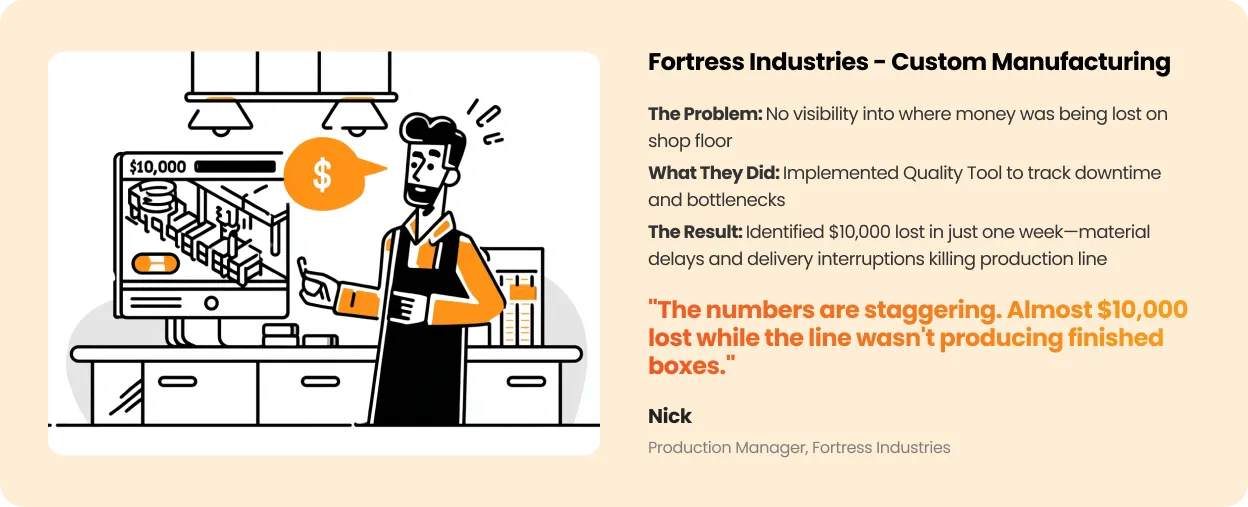
"Almost $10,000 lost in one week from waiting on material. The Quality Tool showed us exactly where the problem was."
Nick
Fortress Industries
"It used to be hard to get people to make Kanban cards. Now it's weird if we don't have one."
Jon
Windmill Cabinets
Kaizenify has been a great tool for our business. We use it to create and organize our SOPs and Kanbans, and it's made our processes much clearer and easier to follow. Everything is well laid out, easy to do and update and simple for our team to reference anytime we need it. It's helped us stay organized, consistent, and more efficient overall. Highly recommend it for any business looking to improve their business workflows and documentation.
Tammy Harris
GoogleSuch an amazing program! It makes it so easy to make Kanbans and SOP's; and also the Company Dashboard is a game-changer. Having the ability to have daily production data to drive decisions is so helpful. Highly recommend!
Harry Dykstra
GoogleWe've been using Kaizenify for about two years now and it's become a key part of how we operate. Our policy is that every product on our shelves has a Kanban card, and Kaizenify has made purchasing far more streamlined and easy for everyone to understand. The app itself keeps improving, with useful features like SOPs, a training matrix, throughput tracking, and defect tracking. We're not using every feature yet, but it's reassuring to know the software can grow with us as our business continues to scale.
Will Duggan
GoogleKaizenify has been an incredibly valuable tool for our team! We've found the platform intuitive and powerful for creating Kanban cards, SOPs, and improving overall shop floor productivity. The ability to capture photos, add videos, and create QR-linked procedures has made training and documentation much easier. The dashboard and metrics help us stay on top of performance, and the intuitive interface means our whole team can use it without struggle. Highly recommend Kaizenify to any business looking to streamline processes and boost efficiency
Andrea Harbaugh
GoogleI work with a lot of shops and small businesses, and if they're still running things off clipboards and whiteboards, I tell them to check out Kaizenify. It's straightforward—no BS, not a big learning curve that eats up your teams day. The Kanban cards are simple to use (you can see what's going on at a glance), and you get plenty of user seats without getting nickel and dimed. Best part? You can print job cards with all the info—Kanban Cards, label location, and the crumb trail with one click.
Hugh Carnahan
GoogleBefore Kaizenify we had our outside materials orders placed in some form of controlled chaos. And since we began using the program we have smoothed out that process and even started looking at ways to prevent inhouse defects using the tracker. A few more of the program features are well suited for what we do but we have not really stepped into them fully yet. We look forward to our continued improvements.
Just News
GoogleThe Kaizenify App has been instrumental tracking our throughput, defects, and inventory. Why didn't I do this sooner! Thanks Kaizenify!
Josh Sergeew
GoogleGreat product. Great service. They have even implemented changes based on our suggestions and feedback.
Josh Springer
GoogleGreat for organizing and keeping track of all our kanban items!
Gavin Kroeker
GoogleGreat tool, easy to use, always improving!
Atelier AuNiveau
GoogleWhat It Is
A manufacturing management suite for lean shops — not another ERP
Kaizenify doesn't replace your scheduling, accounting, job-costing, CAD/CAM, or ERP system. It gives your team the daily management layer those systems usually miss: throughput targets versus actual, defect and downtime priorities, Kanban reordering, SOPs, and training. Smaller shops can use it as their lean operating system, while larger shops use it alongside the systems they already have.
It replaces
Whiteboards, spreadsheets, paper SOPs, and the guesswork used to manage daily improvement.
It works alongside
Scheduling, ERP and job-tracking systems, CAD/CAM, and accounting.
It helps manage
Daily throughput, quality, downtime, Kanban, SOPs, and team training.
From the blog
Practical lean for cabinet shops
Cost of Poor Quality in a Cabinet Shop: How to Calculate It and Where It Hides
Rework, scrap, remakes, downtime — the cost of poor quality is real money most shops never add up. A simple formula, a worked example, and where to start.
Lynn · August 19, 2026 · 7 min read
Read articlePricing:
Pick Your Plan
Standard plans: 60-day trial. Professional + Setup / Done For You: 15-day trial.
Self-Setup
Starter
$45
$38
Per Month (Billed Yearly, Save 15%!)
Organize replenishment, procedures, timing and training.
Included:
- 4x Integrated Tools to Run Your Shop(Kanban, SOPs, Production Timer, Training Matrix)
- Unlimited Kanban
- 150 SOPs
- 50 users
- 1 company
- 60-day trial
- NEW! Includes AI Video SOP Creator
- Company Dashboard
- Quality Tool
- Kaizenify Expert Onsite Setup Support (1 week)
- Configure and Train the Trainer
- Team trained hands-on
Full Platform Access
Professional
$149
$127
Per Month (Billed Yearly, Save 15%!)
Bring production, quality, Kanban, SOPs, timing and training into one suite.
Included:
- 6x Integrated Tools to Run Your Shop(Kanban, SOPs, Production Timer, Training Matrix, Quality Tool, Dashboard)
- Unlimited Kanban
- Unlimited SOPs
- 75 users
- 1 company
- 60-day trial
- Company Dashboard
- Quality Tool
- NEW! Includes AI Video SOP Creator
- Kaizenify Expert Onsite Setup Support (1 week)
- Configure and Train the Trainer
- Team trained hands-on
Done For You
Professional + Setup
$149
$127
Per Month (Billed Yearly, Save 15%!)
+ $4,750 One-time Fee (Setup) + Travel
On-site help to configure the tools and train your team.
Included:
- 6x Integrated Tools to Run Your Shop(Kanban, SOPs, Production Timer, Training Matrix, Quality Tool, Dashboard)
- Unlimited Kanban
- Unlimited SOPs
- 75 users
- 1 company
- 15-day trial
- Company Dashboard
- Quality Tool
- Kaizenify Expert Onsite Setup Support (1 week)
- Configure and Train the Trainer
- Team trained hands-on
- NEW! Includes AI Video SOP Creator
Included In All Plans

Unlimited Kanban Cards
Use visual cards and QR access to support material replenishment.

Save SOPs as PDF
Download your procedures to your local system

Mobile SOPs with QR Codes
Photo/video instructions accessible from any device on the shop floor

Helpdesk Support
Get answers fast when you need help

Production Timer
Real-time feedback: are we winning or losing today?

Data Backup & Redundancy
Your data is safe. Automatic backup included

Training Matrix
Track who can do what. Identify skill gaps and cross-train

SOP Revision Control
Track changes and maintain documentation history
They Had The Same
Problems You Do
Real problems solved with real numbers from shops running Kaizenify daily
See how shop teams use Kaizenify
Got Questions?
We've Got Answers
Talk to Lynn About Running Your Shop
Without Being Chained To It
45-minute call to see if Kaizenify fits your operation. Discuss stockouts, remakes, profitability blindness, whatever's draining your time and money. No pressure, just answers.

No Cost
FREE Demo Session

1-on-1 with Lynn
Co-founder of Kaizenify

Up to 45 min
Quick discovery call

Stop Flying Blind
See today's output and the problems that need attention.
Run your shop without being chained to it.