The Daily Production Report a Small Shop Actually Needs (Free Template)
A daily production report is not a record. It's a decision tool. If it doesn't change what happens tomorrow morning, it's paperwork, and paperwork dies in a busy shop.
The version below is one page, five lines, filled at end of shift by whoever runs each area, and read as a group in about two minutes at the start of the next day. It's the paper version of a shop floor dashboard, and it's the right place to start.
What a daily production report is for
Three things, in order:
- Did we make the day? Throughput actual against target. This is the headline and the reason the report exists.
- What went wrong that we need to fix? Defects, stockouts, downtime — the things that explain a miss.
- What does tomorrow look like? Target, known risks, who's covering.
If a line on the report doesn't serve one of those, cut it. Big-plant production reports run to three pages because a controller needs them. A shop with a dozen people needs a page.
The five lines
For each area (or the whole shop, if it's small):
- Throughput: target / actual. In your unit — boxes, doors, cabinet-equivalents, dollars. One number each.
- On-time. Jobs that were due today: shipped / total.
- Defects logged. Count, and the one-line note for anything big. (The details live in the defect log; this line is just the flag.)
- Hours: paid / productive. Rough is fine. It's the gap you're watching.
- Stockouts / waiting. Anything the cell stopped for: what, how long.
Plus one free-text line: "Tomorrow's risk." Machine down, someone out, rush job landing. Whatever the morning huddle needs to know.
Who fills it in, and when
Whoever runs the area, at end of shift, in the last five minutes. Not the owner. This is the rule most shops break, and it's why the report stops the day the owner is out. Assign it, make it part of the shutdown routine, and it sticks.
Reading it in the morning
Two minutes, standing, at the board or the screen:
- Yesterday's throughput vs. target — made it or missed it, by how much.
- If missed: was it defects, waiting, or a bottleneck? The other lines say which.
- Today's target and the risk line.
- Go.
That's the whole meeting. The report's job is to make that two minutes possible without anyone having to remember anything.
From paper to a screen
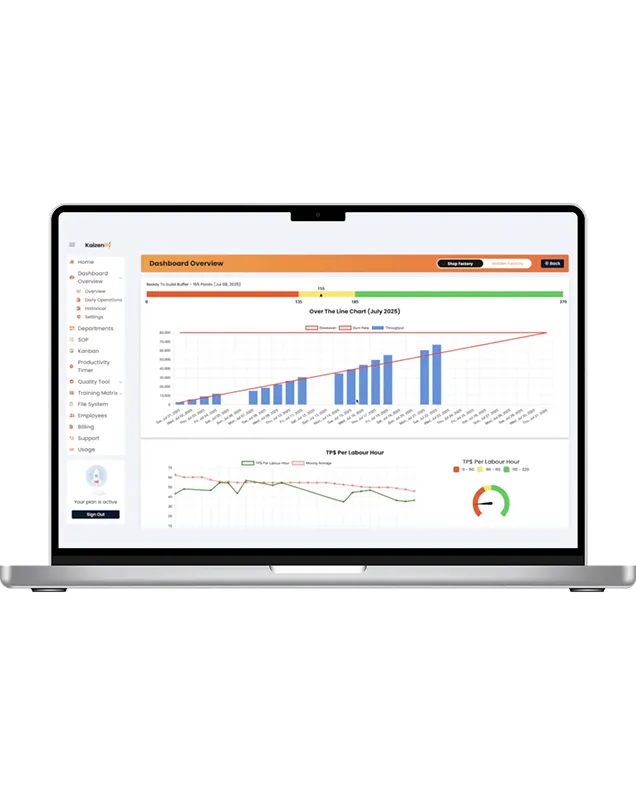
The paper report works for weeks, sometimes months. It stops working when someone's out and the sheet is blank, when there are two shifts and one clipboard, when you want to see the month instead of the week, or when the same defect keeps getting written down and nobody totals what it's costing. That's the moment the report becomes a dashboard: same five lines, entered at the cell, visible on every screen, target vs. actual updating through the day so the 11am check is a glance instead of a walk. That's what the shop floor production dashboard is — the report, live.
Template
The printable version fits a week per sheet, five lines per day plus the risk line. The spreadsheet has the same layout with a weekly totals tab. Free, no email.
Frequently asked
What should a daily production report include? Throughput target vs. actual, on-time delivery, defects logged, hours paid vs. productive, stockouts/waiting, and one line for tomorrow's risk. Nothing else to start.
Who should fill in the production report? The person who runs each area, at end of shift. Not the owner.
How long should it take? Five minutes per area to fill in; two minutes as a group to read.
Do I need software for a daily production report? Not at first. Move to a dashboard when the paper stops being reliable or you want the trend without keeping the sheets.
Lynn
Co-founder, Kaizenify
Co-founder of Kaizenify. Works with cabinet and millwork shops on lean daily management.