Quality & Defect Tracking
Find the Defects and Downtime Costing Your Shop the Most
Fix What's Actually Costing You
You're making remakes but don't know which defects cost the most. Fixing random problems wastes time and money.
$40K
recovered in one month by fixing one issue
$3K+/week
recoverable downtime one shop owner estimates
2 weeks
to see which defect costs you most
Results reported by Kaizenify customer shops; individual results vary.
Tutorial
See Quality Tracking in Action
How to log and track defects in Kaizenify to reduce rework, downtime, and cost of poor quality.
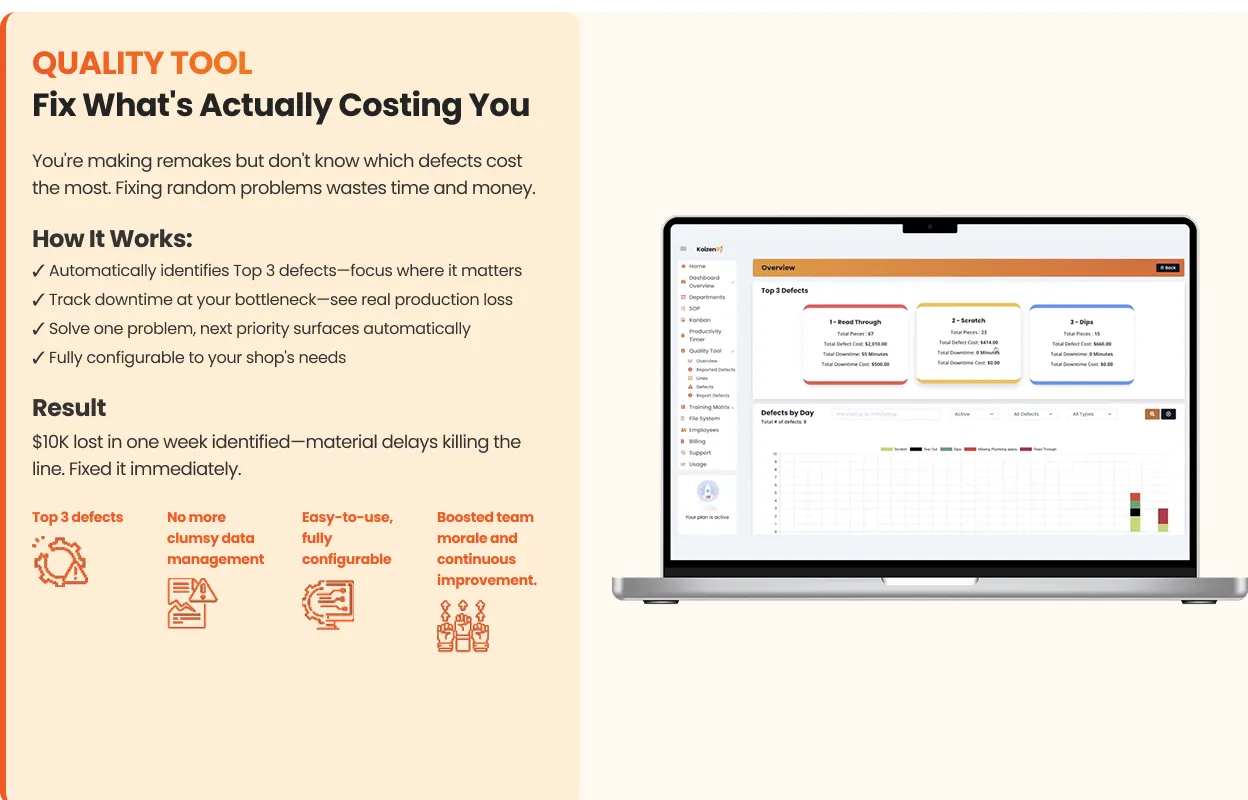
How It Works:
- 1
Automatically identifies Top 3 defects. Focus where it matters
- 2
Track downtime at your bottleneck. See real production loss
- 3
Solve one problem, next priority surfaces automatically
- 4
Fully configurable to your shop's needs
Result
$10K lost in one week identified - material delays killing the line. Fixed it immediately.
Top 3 defects identified automatically
Bottleneck downtime tracking
Auto-prioritized problem queue
Fully configurable to your shop
"Almost $10,000 lost in one week from waiting on material. The Quality Tool showed us exactly where the problem was."
Works with: Shop Floor Production Dashboard, Digital SOP Software
From the blog
Learn more about Quality & Defect Tracking
All Quality resourcesCost of Poor Quality in a Cabinet Shop: How to Calculate It and Where It Hides
Rework, scrap, remakes, downtime — the cost of poor quality is real money most shops never add up. A simple formula, a worked example, and where to start.
Lynn · August 19, 2026 · 7 min read
Read articleCommon Questions
Common questions about Quality & Defect Tracking
See Everything. Fix What Matters.
Six simple tools that give you complete visibility and control.
Don't have time to set it up? See our done-for-you program →Explore the other tools
All six toolsDashboard
Know If You're Making Money By Lunch
View toolKanban
Never Run Out of Edgebanding Again
View toolSOPs
Every Job Right, Even When Bob's Out
View toolAndon/Timer
Are We Winning Today?
View toolTraining Matrix
What If Your Key Guy Quits Tomorrow?
View toolAI Video SOP
Your Team Already Knows How To Do It. Now Kaizenify Captures It For You.
View tool