Training Matrix Software
What If Your Key Guy Quits Tomorrow?
Your best guy knows everything. When he's out sick, nobody else can run that machine. You're one resignation away from chaos.
Tutorial
See the Training Matrix in Action
How to build and maintain a training matrix in Kaizenify so you always know who's trained on what.
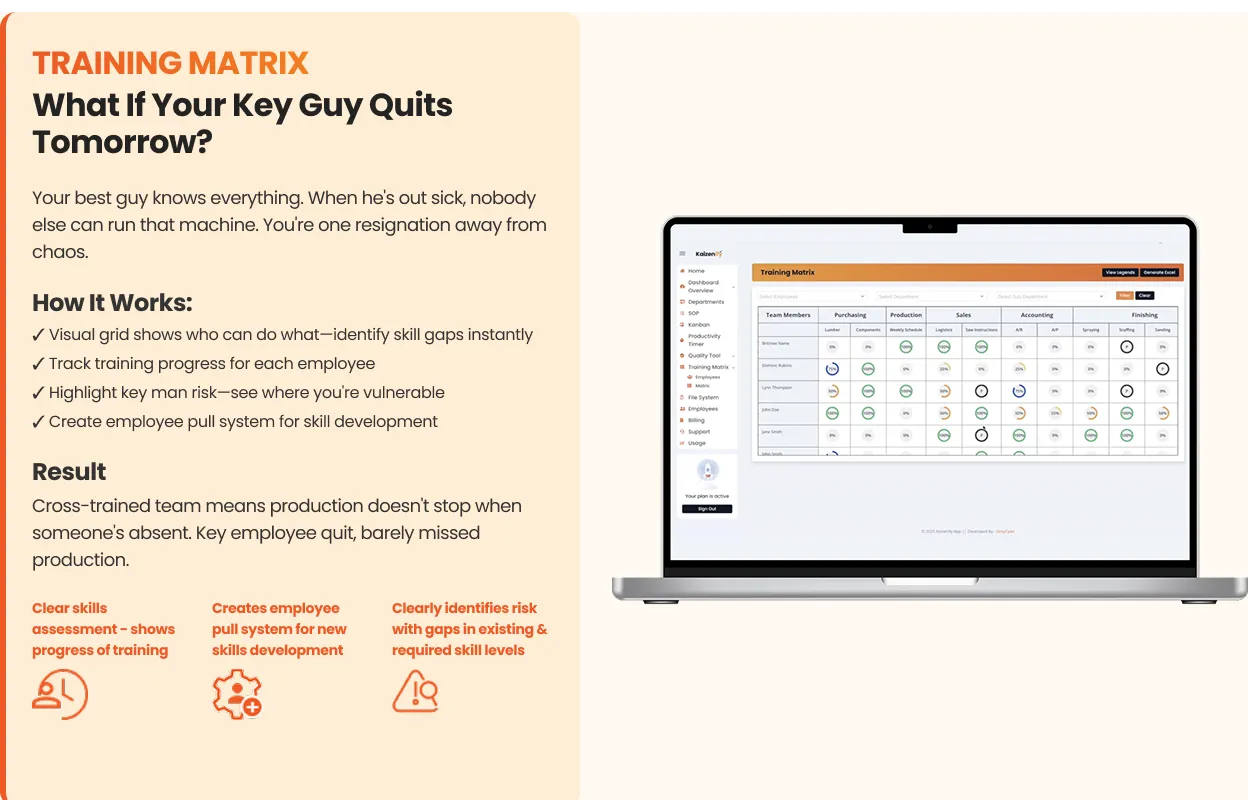
How It Works:
- 1
Visual grid shows who can do what. Identify skill gaps instantly
- 2
Track training progress for each employee
- 3
Highlight key man risk. See where you're vulnerable
- 4
Create employee pull system for skill development
What this helps you do
See where the shop needs a trained backup and track progress toward broader task coverage.
Visual skill gap grid
Track training progress
Key man risk highlighting
Employee pull system
Works with: Digital SOP Software
From the blog
Learn more about Training Matrix Software
All SOPs & Training resourcesCommon Questions
Common questions about Training Matrix Software
See Everything. Fix What Matters.
Six simple tools that give you complete visibility and control.
Standard plans: 60-day trial. Professional + Setup / Done For You: 15-day trial.
Don't have time to set it up? See our done-for-you program →Explore the other tools
All six toolsDashboard
See Today's Output Against the Target
View toolKanban
Give Replenishment a Clear Signal
View toolSOPs
Make the Agreed Method Easy to Find
View toolAndon/Timer
Are We Winning Today?
View toolQuality Tracking
Fix What's Actually Costing You
View toolAI Video SOP
Your Team Already Knows How To Do It. Now Kaizenify Captures It For You.
View tool